
Essential Tools Every Product Designer Should Know Today
Product design today goes far beyond creating visually appealing interfaces. Modern product designers are involved in the entire lifecycle of a product: From early research and ideation to prototyping, testing, and collaboration with developers. Because of this, designers rely on a set of tools that support the full design process. While tools will continue to evolve, several platforms have become industry standards for product design teams. Here are some of the essential tools every product designer should be familiar with today. Figma – The Core Tool for Interface Design Figma has become the central tool for modern product design teams. It allows designers to create interface layouts, maintain design systems, collaborate with teammates, and prototype product interactions all within one platform. Because Figma runs in the browser, teams can work in the same file simultaneously, making collaboration much easier compared to older design tools. Product designers use Figma for: For many teams, Figma has replaced several older tools by combining design, prototyping, and collaboration in one environment. Miro – Ideation and Product Thinking Before designing actual screens, product teams often need to explore ideas, define problems, and map out user experiences. Miro acts as a collaborative digital whiteboard where teams can visually organize their thinking. Designers and product teams commonly use Miro for: It helps teams align on ideas before moving into interface design. FigJam – Collaborative Workshops FigJam is Figma’s collaborative whiteboarding tool similar to Miro – designed for design thinking and team workshops. It is often used for: Because it integrates directly with Figma, designers can easily transition from ideas to interface design. Adobe Creative Tools – Supporting Visual Work Even though product design today is heavily centered around interface tools like Figma, traditional design software still plays an important role in many workflows. For example, I personally still use Adobe Photoshop and Adobe Illustrator in my daily work. Illustrator is especially useful for creating vector graphics, icons, and custom illustrations, while Photoshop is great for image editing, visual compositions, and preparing assets. Many designers also use Adobe After Effects when motion design is involved particularly for interface animations, product videos, or marketing visuals that require more advanced motion control. While these tools are not always the center of the product design process, they remain valuable when designers need more control over visual assets and motion. Team Collaboration Tools Product design rarely happens in isolation. Designers constantly collaborate with product managers, developers, and other stakeholders. Tools like Notion, Jira, Slack, Active Collab and project management platforms help teams document design decisions, organize product knowledge, and maintain communication across the product lifecycle. Good documentation ensures that design decisions remain clear and consistent as products evolve. Learning tools is important, but tools alone do not define a designer. Strong product designers combine technical skills with systems thinking, user empathy, and clear communication. Tools simply enable designers to translate ideas into products that people can use. As technology evolves, new tools will appear and others will fade away. What truly matters is the ability to adapt and use the tools that best support thoughtful, user-centered design.
Essential Design Books
A Curated Reading List for Designers Design tools evolve quickly, but the core principles of design remain timeless.While software changes every few years, the foundations of typography, composition, usability, and visual communication stay the same. One of the best ways to develop a deeper understanding of design is through books. Many of the most influential designers have shaped their thinking not only through practice, but through reading. The Design of Everyday Things Don Norman This book is often considered a cornerstone of user-centered design. Don Norman explores why some products feel intuitive while others are confusing and frustrating. Through everyday examples, he explains concepts like affordances, feedback, and mental models. Even though it was written decades ago, the ideas remain incredibly relevant for anyone working in UX, product design, or service design. Thinking with Type Ellen Lupton Typography is one of the most fundamental skills a designer can develop. In Thinking with Type, Ellen Lupton breaks down typographic principles in a clear and visually engaging way. The book covers everything from basic typographic anatomy to layout systems and hierarchy. It is an excellent reference for designers working in branding, editorial design, and digital interfaces.n. Grid Systems in Graphic Design Josef Müller-Brockmann Few books explain layout structure as clearly as this one. This classic work introduces the grid as a tool for organizing information and creating visual harmony. Although originally focused on print design, the principles translate perfectly into modern web and UI design. For designers who want to bring clarity and structure into their layouts, this book is essential. Don’t Make Me Think Steve Krug DOne of the most accessible books about usability and UX design. Steve Krug presents a simple but powerful idea: interfaces should be self-explanatory. If users have to stop and think about how something works, the design has likely failed. The book offers practical advice on simplifying navigation, improving clarity, and designing digital products that feel natural to use. The Package Design Book Taschen SoPublished by Taschen, The Package Design Book is one of the most inspiring visual references for designers working in branding and packaging. The book showcases hundreds of packaging designs from around the world, highlighting how structure, typography, materials, and illustration come together to create memorable products. It’s not a technical manual but rather a rich visual archive that demonstrates the diversity and creativity of packaging design across industries. For designers interested in branding, product presentation, or retail design, this book is a constant source of inspiration. Logo Design Love David Airey Logo design is often seen as simple, but creating a strong visual identity requires a thoughtful process. In this book, David Airey walks through the stages of developing logos from research and concept development to presenting ideas to clients. With real-world case studies and practical advice, the book provides insight into how professional identity design projects unfold.. The Elements of Typographic Style Robert Bringhurst Often referred to as the “typographer’s bible,” this book dives deep into the philosophy and craft of typography. While more advanced and theoretical than some other design books, it offers invaluable insights into how type shapes readability and visual communication. For designers who want to truly master typography, this book is an important reference. Final Thoughts Design books do more than teach technical skills. They help designers develop a deeper visual awareness, understand the reasoning behind design decisions, and connect their work to a broader design tradition. While trends, tools, and platforms will continue to evolve, the principles found in these books remain timeless. For designers looking to expand their perspective and refine their craft, building a small personal library of design literature can be one of the most valuable investments.
Chamevo
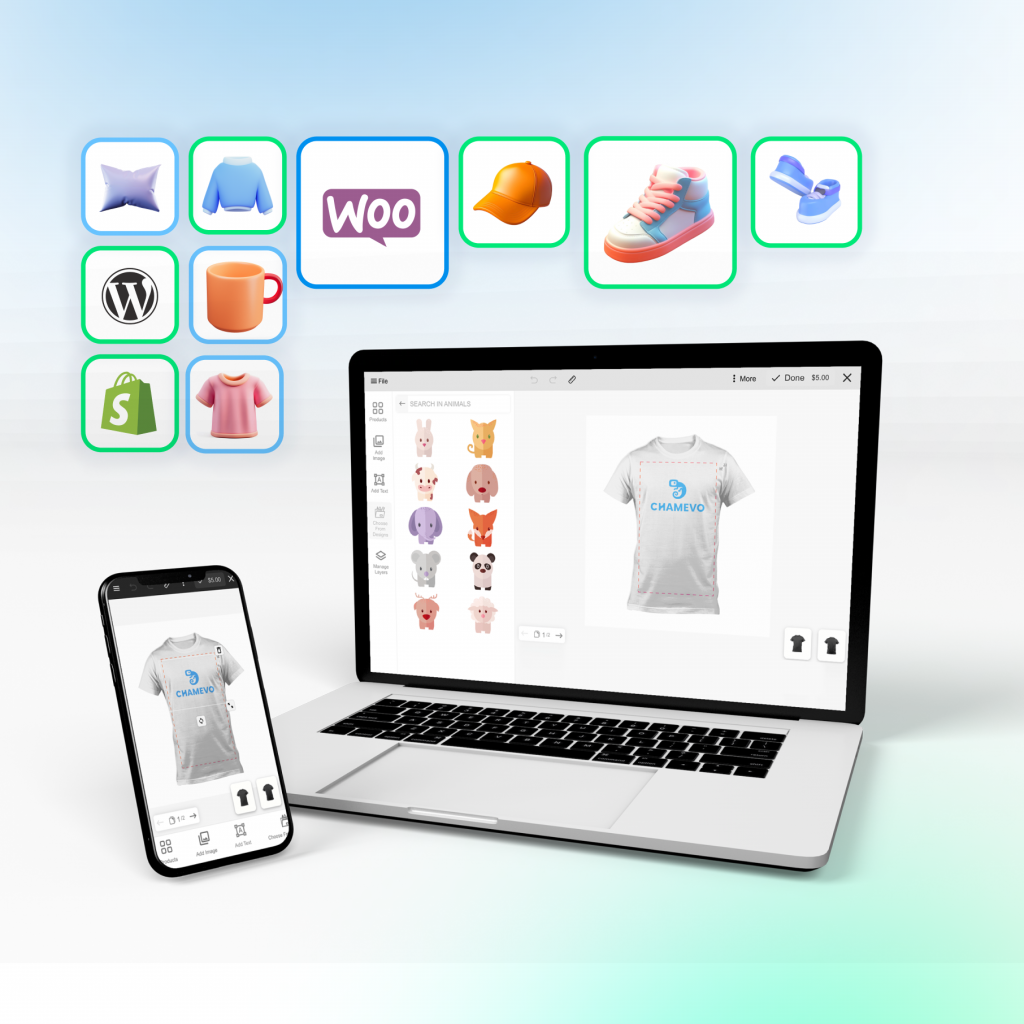
I Received the initial marketing structure and positioning, and used it as a foundation to design the full website experience and visual direction.Built the site architecture, page layouts, and UI system based on that strategy, translating product features into a clear, conversion-focused flow. Defined the visual style, component patterns, and overall look & feel while designing key pages such as landing, features, integrations, pricing, and product showcase ensuring the tool felt approachable and easy to understand for eCommerce users.
Energy concept
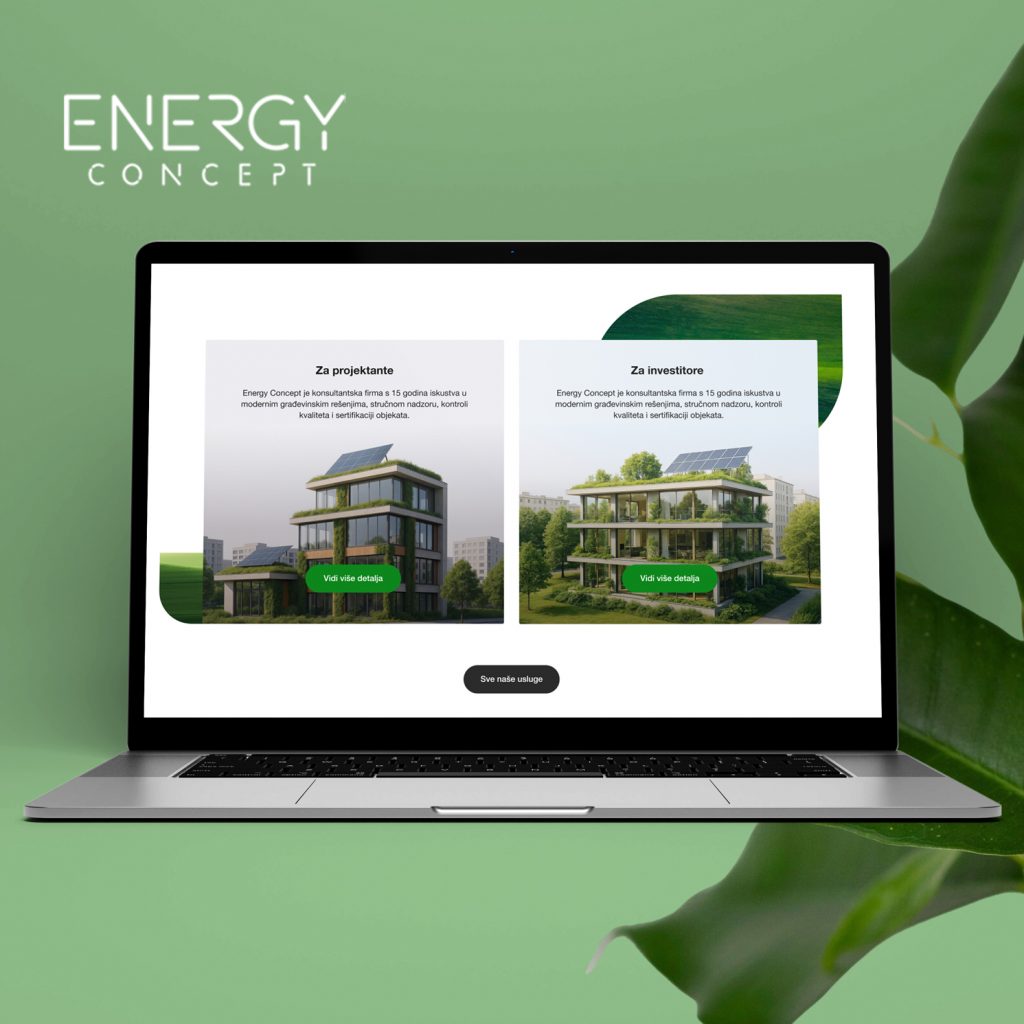
I redesigned the website for an energy consulting and sustainable construction firm.The client requested a very minimal, text-focused site without animation, more of a clear service guide than a marketing-heavy experience. The goal was to explain what clients actually get when hiring them, in a structured and easy-to-read way. I focused on clean layout, strong typography and simple navigation that supports longer technical content without overwhelming users.
Abarca
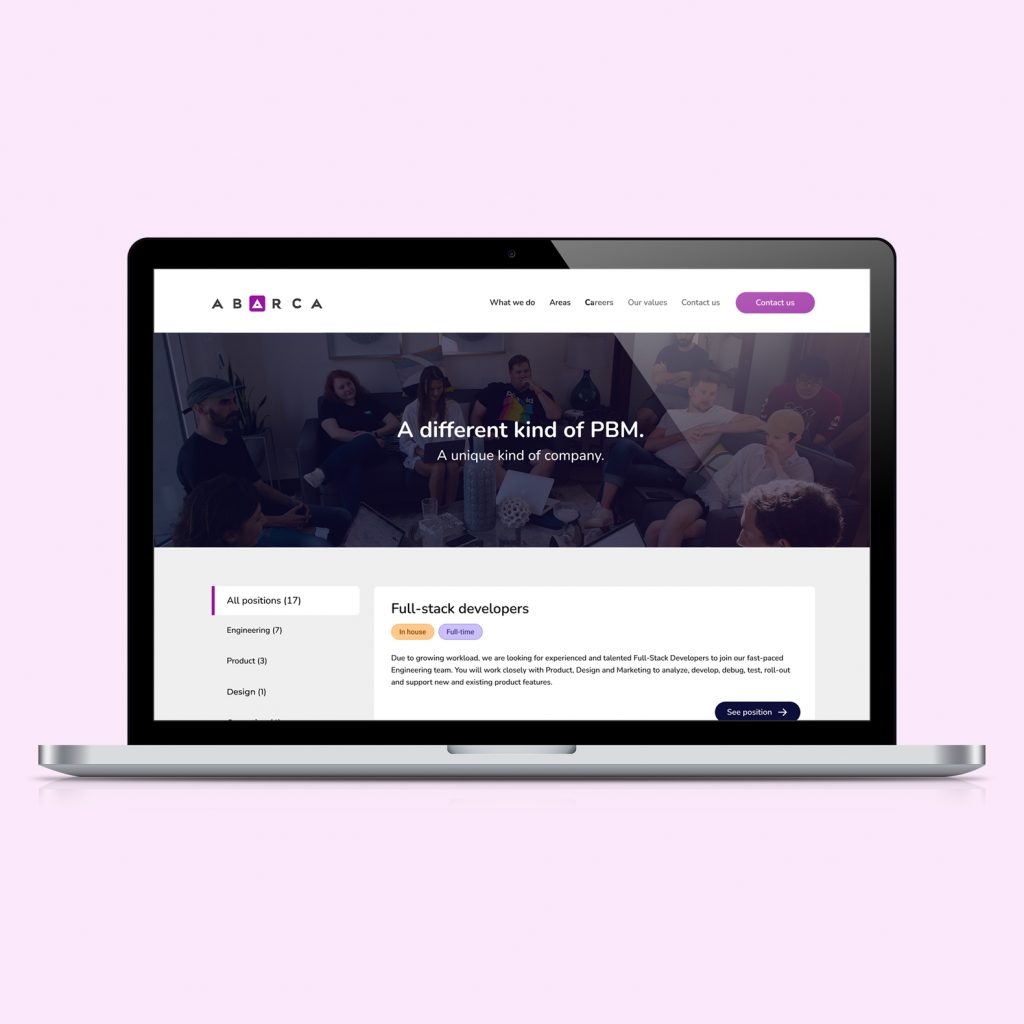
Redesigned a careers platform for a product-driven company that needed a clearer, more structured way to present open roles and attract the right candidates. The goal was to simplify navigation through multiple job categories while making each position easier to scan, compare, and act on. I reorganized the listing layout, introduced clearer filters and status labels (location, type, seniority), and created a consistent card system that works across desktop and mobile. The visual language was refreshed to feel more aligned with the company’s brand while still prioritizing readability and quick decision-making for applicants.
Wise Checkouts
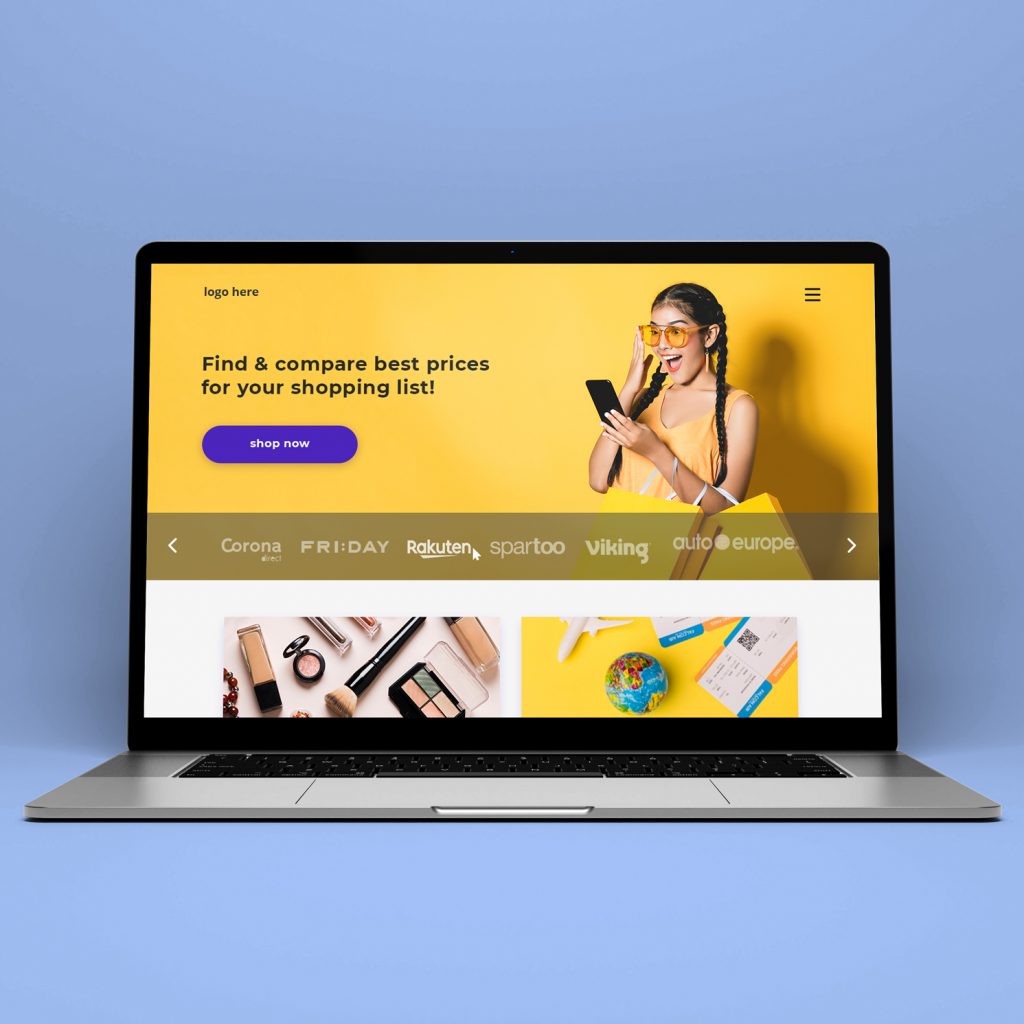
This project was part of a large dropshipping ecosystem that aggregates multiple online stores into one unified browsing and shopping experience. The goal was to create a visually engaging, conversion-focused interface that allows users to easily discover, compare, and navigate between partner stores while maintaining a consistent design system. I worked on the design of landing pages, category pages, and individual store layouts, ensuring the platform could scale and adapt to different brands within the same framework. The structure had to be modular, flexible, and easy to update as new stores and product categories were added.
Global Village
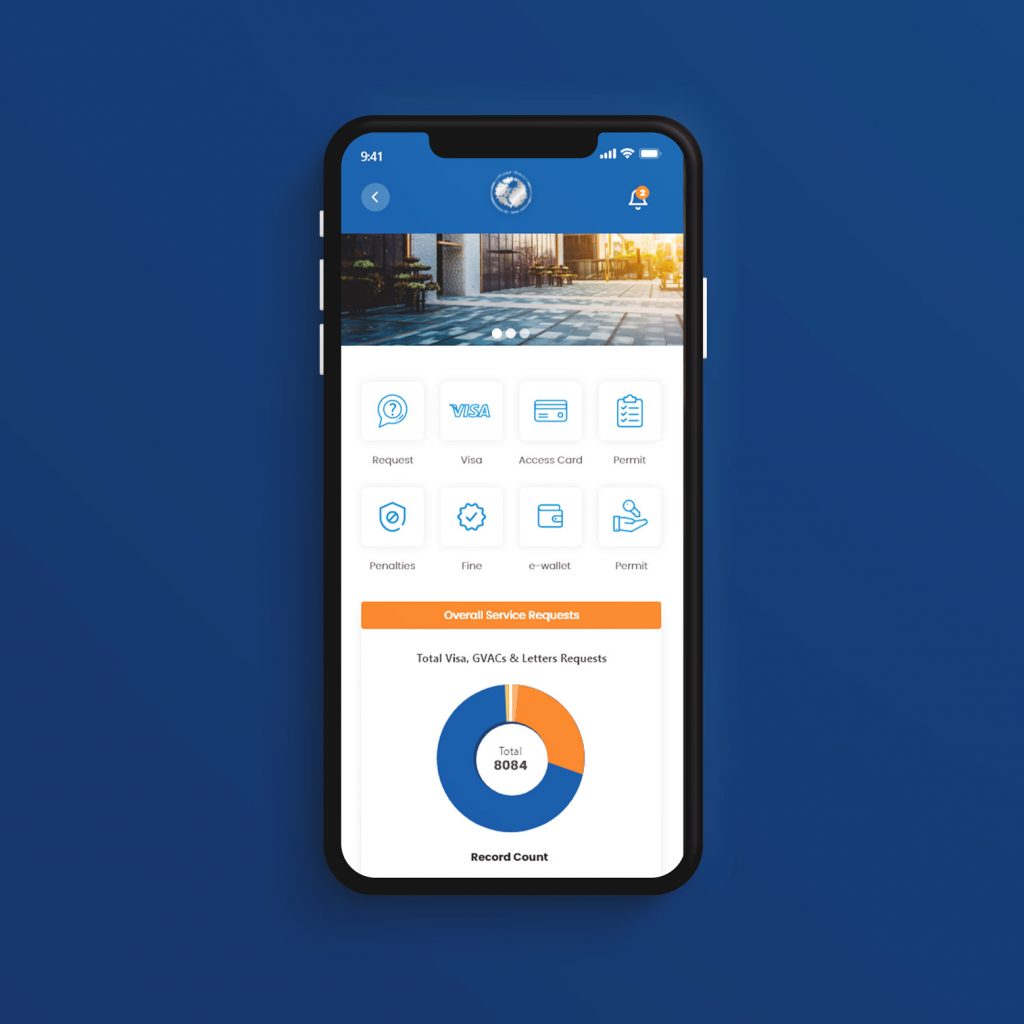
This feature was designed as an additional module for the Global Village mobile app, focused on the business portal experience. It allowed vendors and partners to access key services, submit requests, track permits, and manage payments directly from the app. I worked on the mobile UI structure, dashboard layout, and service flows, keeping the interface clear and task-oriented. The goal was to present multiple administrative actions in a simple, accessible way, with modular components that could scale as new services were added to the platform.
GV Fitness
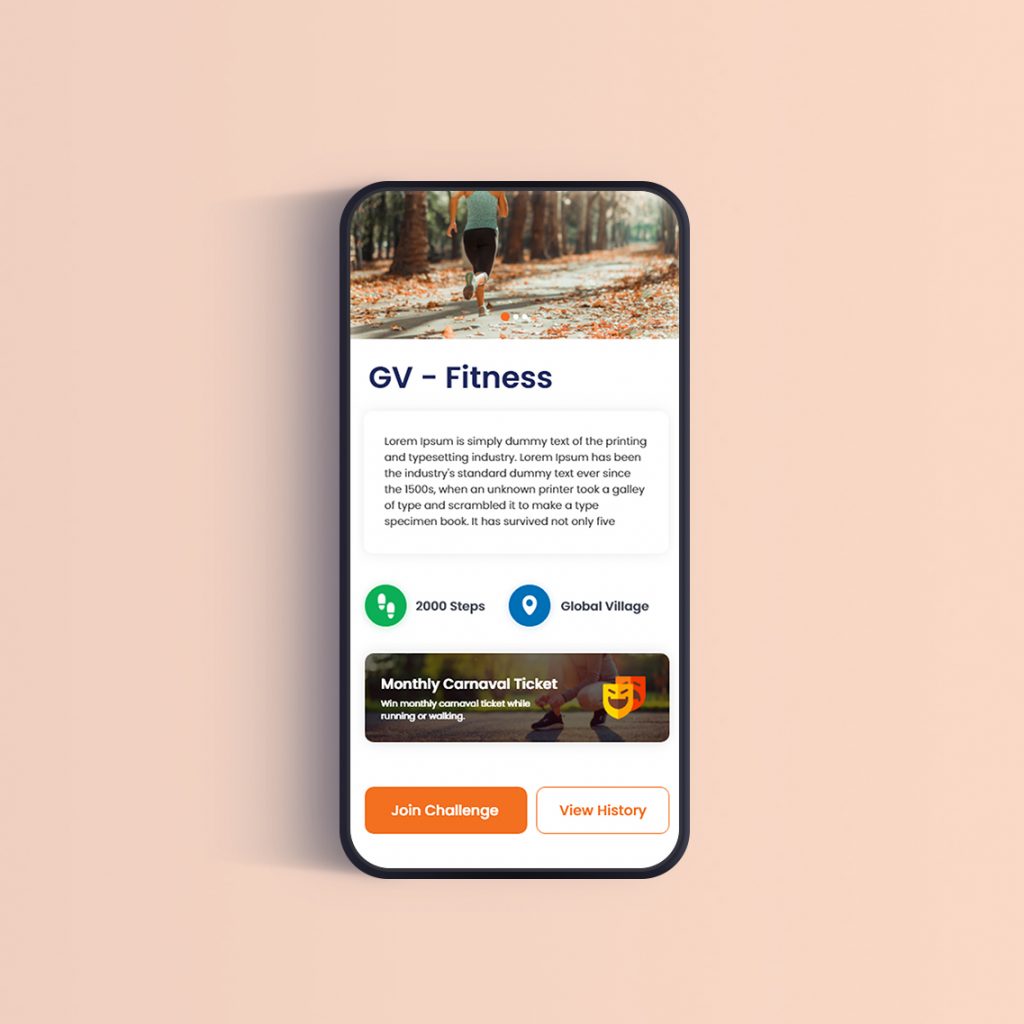
This mobile concept was created as part of a carnival activation, designed to support a step-based fitness challenge tied to event participation and rewards. Users could track daily progress, review past results, and join challenges to unlock perks such as tickets or in-event benefits. I worked on the mobile UI, screen flow, and feedback states, focusing on clear progress tracking and quick interactions. The interface was kept simple and engaging, with visual progress indicators, achievement screens, and modular components that could easily adapt to different event campaigns or seasonal challenges.
Vip Stores
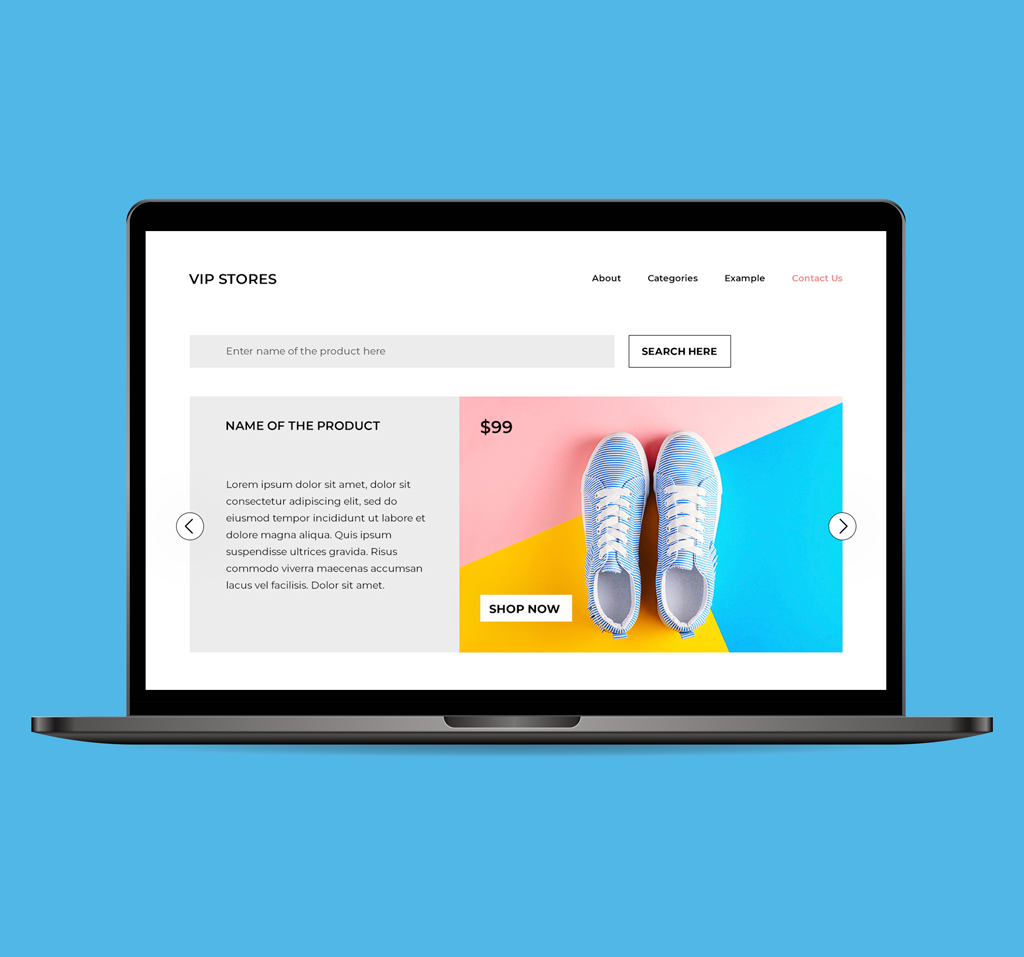
This early template was created for a dropshipping client who needed a flexible base they could later adapt and expand. The structure focuses on modular product sections, promotional blocks, and category highlights that can be easily replaced or rearranged depending on inventory and campaigns. I designed the layout to be simple to update, with reusable product cards, banner spaces, and clear navigation, allowing the client to adjust content without redesigning the whole site. The goal was to provide a clean, scalable starting point that supports ongoing changes typical for dropshipping stores.
Top Market
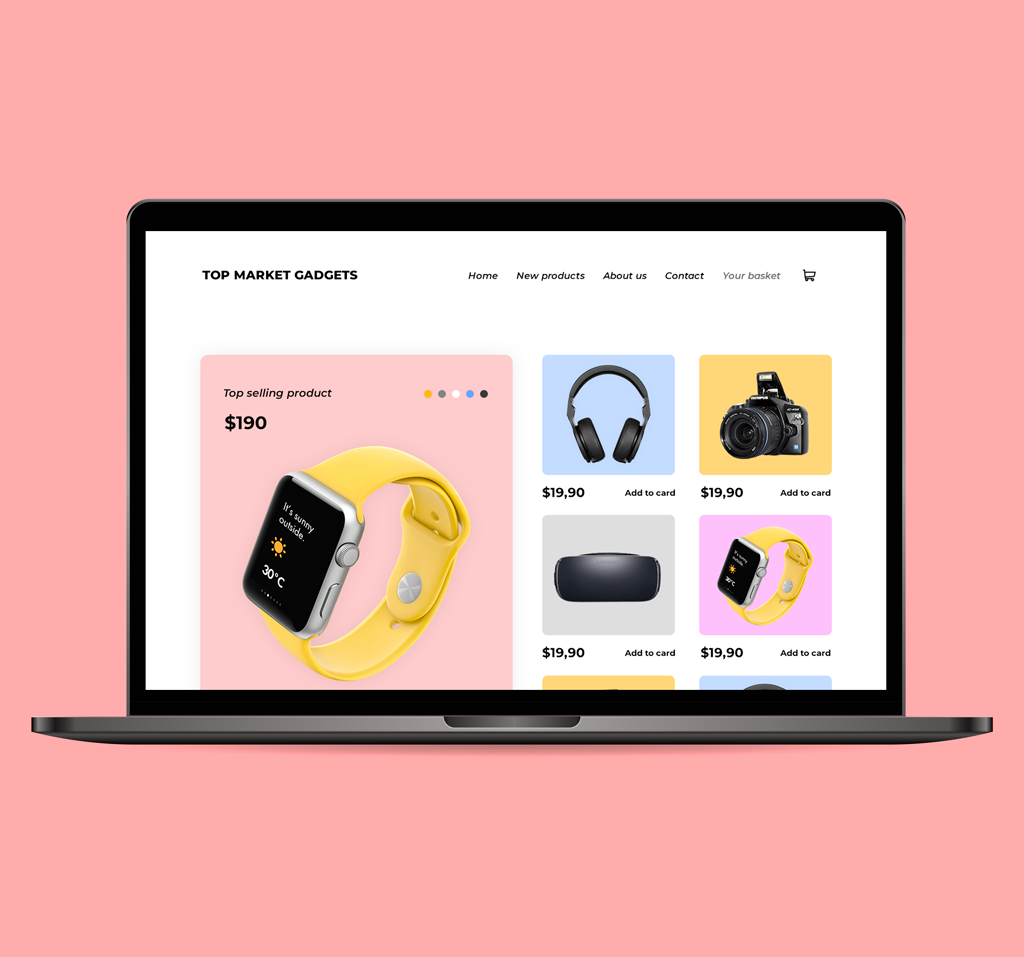
This concept explores a simple dropshipping storefront focused on clear product presentation and quick purchase flow. The layout highlights featured items first, followed by a structured product grid that can easily scale with larger inventories.